Why a website?

Your Business Is Online. But Is It Working Hard Enough?

Social media gets attention. A professional website gives that attention somewhere to go.

§ 02 · The comparison

Same business. Two different storefronts.

A Facebook Page is a great place to be seen. Here is what changes when it can also send people to a proper website.

Highlighting: Facebook Page only

Facebook Page only compared with Facebook Page plus a professional website
What customers noticeFacebook Page onlyFacebook Page + Website
OrganizationScatteredMenus, prices, and updates move down the feed and get buried under newer posts.OrganizedMenu, services, hours, and location each have a clear, permanent place.
PresentationGenericYour page uses the same layout as every other business on the platform.On-brandDesigned around your photos, colors, and the way you want to be seen.
Service informationSpread outDetails live across posts, albums, comments, and the About tab.At a glanceOne page answers the common questions before customers have to ask.
Contact accessibilityMostly chatContact usually means Messenger, and not every customer uses Facebook.Every channelTap-to-call, Messenger, email, and map buttons — whichever customers prefer.
Search discoverability potentialLess controlPages can appear in search, but you control little of what shows up.More to work withYour own titles, descriptions, and content give search engines more to go on. Rankings are never guaranteed.
Brand identityPlatform-brandedYour business sits inside Facebook’s look and layout.YoursYour name, colors, and voice are front and center.
Platform dependenceTheir rulesReach and features depend on the platform’s rules and algorithm changes.Home baseA home base you control, which your social pages can point to. (You still choose a domain and host.)

To be fair: plenty of businesses do well on social media alone, especially when nearly all of their customers already find them there. A website doesn’t replace what’s working — it adds an organized home base that your social pages, Google profile, and flyers can all point to.

§ 03 · The customer journey

From a scroll to a message, in five steps.

An illustrative scenario using our fictional demo café: someone nearby is looking for a place to go on Saturday morning.

  1. 01 · Discovery

    Someone hears about you.

    A friend shares your post, or they search for a place nearby. Either way, they tap through to see more.

  2. 02 · First impression

    First impressions form fast.

    A designed page shows you’re open, cared-for, and real — before they read a single word.

  3. 03 · Information

    They find what they came for.

    Menu, prices, hours, and location are right there. No scrolling through months of posts or waiting for a reply.

  4. 04 · Confidence

    Their doubts get answered.

    Real photos, clear prices, and an easy-to-find address make choosing you feel like a safe bet.

  5. 05 · Inquiry

    They reach out.

    One tap to call, message, or get directions. The attention you earned turns into a conversation.

Illustrative scenario only — not data from a real customer or a real business.

§ 04 · Before & after

Drag to see the difference.

Same business details, two presentations. Pick an industry, then drag the handle.

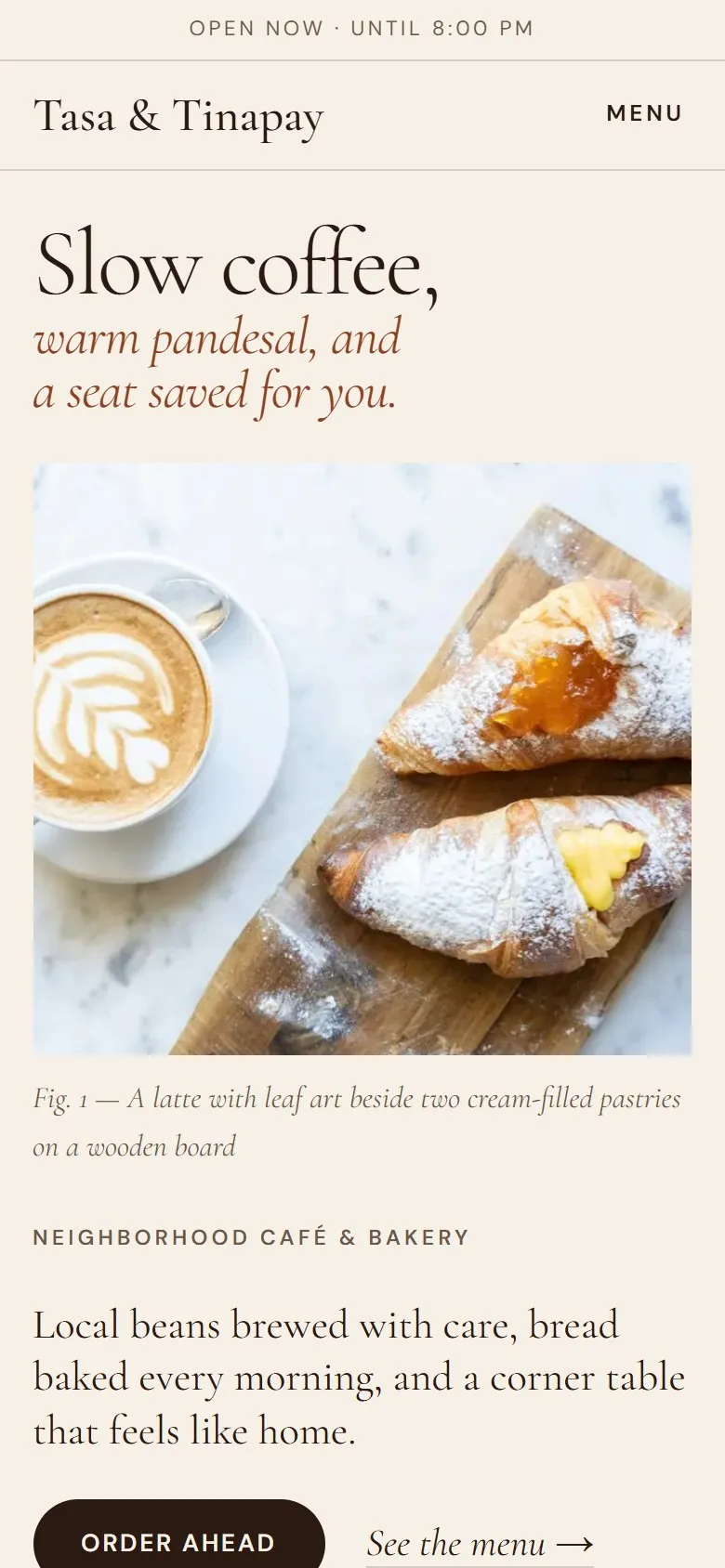
After: the Tasa & Tinapay demo website designed by SitePorma

Both sides use SitePorma’s fictional demo businesses. The “before” is a mock-up we made for this comparison; it is not a real client’s website or page.

§ 05 · Fair questions

Fair questions, straight answers.

The things small business owners ask us most — answered without the sales gloss.

I already have Facebook…

Keep it. Facebook is great for updates, photos, and conversations. A website works alongside it: your page links to your website, and your website links back.

The website holds the organized essentials — menu or services, prices, hours, location, and contact buttons — so customers don’t have to dig through posts. If nearly all of your customers already find and reach you on Facebook and you’re happy with that, you may not need a website yet.

Isn’t a website expensive?

Our Starter website is ₱2,499 — a one-time design fee, paid in two parts: ₱1,250 before development starts, and ₱1,249 after you approve the preview, before launch or turnover.

A domain name and any paid hosting are separate and paid directly to the provider. We’ll explain the options and their costs before you commit, and help deploy on Cloudflare Pages where that suits the project.

I’m not technical.

You don’t need to be. You send your text, photos, logo, and contact details; we handle the design, build, and setup.

You review a preview before anything goes live, and you get two rounds of minor revisions (things like wording, colors, or swapping supplied images).

Who maintains the website?

Starter includes 14 calendar days of bug-fix support after launch, within the agreed scope. Longer support can be arranged by mutual agreement.

Ongoing maintenance and content updates are not part of Starter. If your menu, prices, or hours change often, tell us at the start and we’ll talk through the simplest way to keep them current.

Will a website automatically bring customers?

No — and be wary of anyone who promises that. A website doesn’t guarantee traffic, search rankings, or sales.

What it does is give the attention you already get — from social media, word of mouth, your Google profile, or flyers — a clear, professional place to land. Results depend on your business, your market, and how you share your link.

What if I only need something simple?

That’s exactly what Starter is for: one responsive page with up to six sections — enough for who you are, what you offer, and how to reach you.

If you later need more pages or features, our Business and Custom packages are quoted separately.

§ 06 · The offer

The Starter website, in plain terms.

Term sheet · Starter Website

₱2,499

Introductory price · one-time website design fee

A polished one-page website that tells customers who you are and how to reach you.

Payment schedule

Payment schedule for the Starter Website
Initial paymentBefore development starts₱1,250
BalanceAfter you approve the preview, before launch or turnover₱1,249
Total₱2,499

Delivery

Target: 3–5 working days, counted from when we receive the initial payment and all of your project materials.

No payments are taken on this website.

Included

  • One-page responsive website, up to 6 sections
  • Your colors, business name, provided content, and supplied logo
  • Click-to-contact buttons for your supported contact channels
  • Basic on-page SEO and image optimization
  • Two rounds of minor revisions
  • Cloudflare Pages deployment assistance, where suitable
  • 14 calendar days of post-launch bug-fix support, within the agreed scope

Longer support can be arranged by mutual agreement.

Not included

  • Domain registration
  • Paid hosting
  • Logo design
  • Additional pages
  • E-commerce and payment systems
  • Booking systems
  • Premium third-party assets
  • Major redesigns
  • Ongoing maintenance

Other out-of-scope work, advanced integrations, and extra pages are quoted separately. Domain and hosting costs are paid directly to the provider.

§ 07 · Closing

People are already looking for businesses like yours. Give them a better reason to choose you.

Not ready yet? Ask for a free personalized demo first — no obligation.